01
The plan lives in a spreadsheet.
One person knows where everything is. Changes go in late. Nobody else can pick it up.
Free plan for operators running 1 to 50 trucks
Motion TMS’s free plan replaces the planning spreadsheet and the photographed run sheet. Orders, jobs, runs, printable run sheets and a simple driver app. Then switch on upgrades one tool at a time as you grow.
No card. No time limit. No payment on this website. New workspaces get every tool switched on for 30 days, then keep the free plan and switch on only what you need.

Small fleets run on one spreadsheet, one phone and one person who knows where everything is. When that person is off, the day stalls.
Motion TMS puts the plan, the run sheet and the driver’s progress in one place, and it starts free.
One person knows where everything is. Changes go in late. Nobody else can pick it up.
Drivers scroll back to find the address. Changes get missed. Nobody knows which version is current.
Jobs done, PODs collected, then every one re-keyed into an invoice. Hours lost to work the system should already know about.
The free plan is a complete planning and dispatch tool for your own fleet. Not a trial, not a demo.
Most small operators already plan in Excel or Google Sheets. Upload the sheet you use now and Motion TMS maps its columns to orders, so you are running on day one in a format you already understand. Manual entry is always there too.
Works with Microsoft Excel, Google Sheets and CSV exports.
Start free with your spreadsheetOrders ready to plan. Included free with a monthly allowance of assisted imports.
Capture the customer, collection and delivery points, goods, pallets and weight, vehicle needs such as tail-lift, fridge, HIAB or ADR, time windows, the agreed rate and the customer reference. Status moves from enquiry to quoted, confirmed and planned.
Turn an order into one or more jobs. Drag each one onto a vehicle and a day, then set the driver and the stops. Quick on the keyboard, because this is the screen you will live in.
Order the stops, set the times and attach the load. Multi-drop and multi-leg from day one. Height, weight and width limits stay with the vehicle.
A clean, printable run sheet per vehicle per day: driver, vehicle and trailer, stops in order, addresses, time windows, references, consignment details and special instructions. PDF for the clipboard, CSV or XLSX for the spreadsheet, and a read-only link for the driver’s phone with no login.
The driver receives the run, accepts it, marks arrived and delivered, and records a signer name and one photo per stop. The office sees the day move without a phone call.
Agreed rates per mile, pallet, job, tonne or fixed lane. Fuel, waiting time, tail-lift and out-of-hours surcharges. Payment terms. Customer orders and delivery notes attached to the order so you can find them again.
Repeat lanes take a minute, not a morning. Copy a previous run to the new date, adjust the stops and send it. Your history becomes next week’s plan.
Vehicles, trailers, drivers, customers, locations and goods types. The records everything else hangs off. Mark a run complete or archive it, so the list never piles up.
How the free plan moves the day from the office to the road and back.
Bring the spreadsheet or key the day’s jobs in: customer, collection, delivery, pallets, date.
Drag each job onto a vehicle and a driver, then put the stops in order.
Print it, send the read-only link, or push the run to the driver app.
Arrived, delivered, a signer name and a photo per stop. The office sees the day move.
The work happens in yards, warehouses and on the road. The free plan keeps those handovers connected.
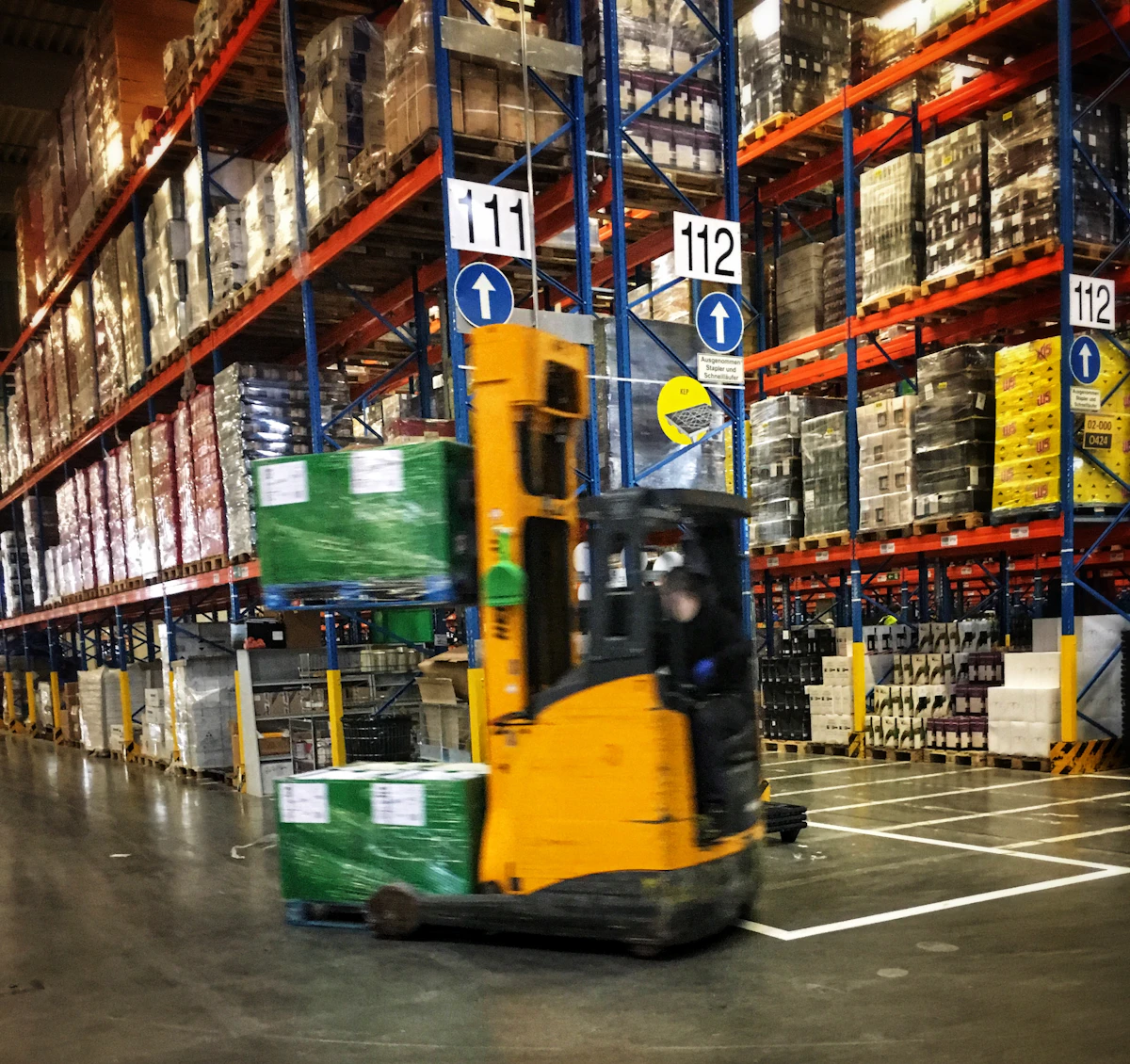
Morning · steps 1 to 3 of 4
Upload or type the day’s orders, drag them onto vehicles, print or send the run sheet.
Plan tomorrow free
Afternoon · step 4 of 4
The driver marks arrived and delivered, with a name and a photo. The office sees the day move.
Give drivers the app freeEvery upgrade is its own switch with its own price per vehicle. Turn on what the work needs this month. Turn it off when it does not.
Put the day’s orders in and let Motion TMS build the runs: multiple vehicles, multiple days, time windows, driver hours and access restrictions.
Signature capture, unlimited photos per stop, line-level consignment detail, damage and shortage records, and the POD sent to the customer as soon as the job is done.
Invoices raised from completed jobs with the POD attached. Live sync to your accounting package instead of export and re-key.
Revenue against fuel, driver and subcontractor cost per job, per customer and per lane. Rate suggestions from what you actually earned.
A customer portal with live status, fed by telematics from your vehicles, so the phone stops ringing.
Several depots, configurable exception alerts and subcontractor management when the operation outgrows one planner.
No card. Your fleet, your customers, your runs, for as long as you like.
New workspaces start with everything switched on. When the trial ends you keep the free plan, nothing is charged, and you choose what to switch back on.
Need signatures but not invoicing? Switch on Full electronic POD alone. Add invoicing when re-keying starts to hurt.
Per vehicle, per month, per tool. Each price is shown before you switch a tool on. Switch it off and the charge stops.
Most software makes you buy the whole bundle to get the one thing you need. Motion TMS sells each upgrade on its own switch, priced per vehicle, so a five-truck operator pays for five trucks and one tool, not a fleet licence.
Example. Each tool’s price is shown in your workspace before you switch it on.
Everything in the left column is free. Each upgrade is its own switch.
| Capability | Free plan | Tools you switch on |
|---|---|---|
| Orders, jobs and multi-drop runs | Included | Included |
| Run creation and stop sequencing | Included | Included |
| Excel or CSV upload with assisted column mapping | Monthly allowance | Unlimited |
| Run sheet PDF, CSV and XLSX export | Included | Included |
| Driver share link, read-only | Included | Included |
| Driver app: accept, arrived, delivered | Included | Included |
| Basic POD: signer name, time and place stamp, one photo per stop | Included | Included |
| Address validation and geocoding | Included | Included |
| Delivery board and exception alerts | Basic | Configurable |
| Invoice from a completed job | Export only | Live accounting sync |
| Signature capture, unlimited photos, line-level detail | Not included | Included |
| Route optimisation | Not included | Included |
| Telematics and tracking integration | Not included | Included |
| Customer tracking portal | Not included | Included |
| Job costing, profitability and rate suggestions | Not included | Included |
| Multi-depot and subcontractor management | Not included | Included |
Honest guidance by fleet size, from the people building it.
A stable customer base on repeat lanes. The free plan genuinely beats the spreadsheet: reuse Tuesday’s run, print the sheet, send the link.
Planning still fits, and the driver app brings the day back to the office. Most operators this size upgrade for full POD, invoicing and job costing within a few months.
A planner managing this many vehicles needs execution visibility and optimisation. Start on the free plan and expect to upgrade quickly.
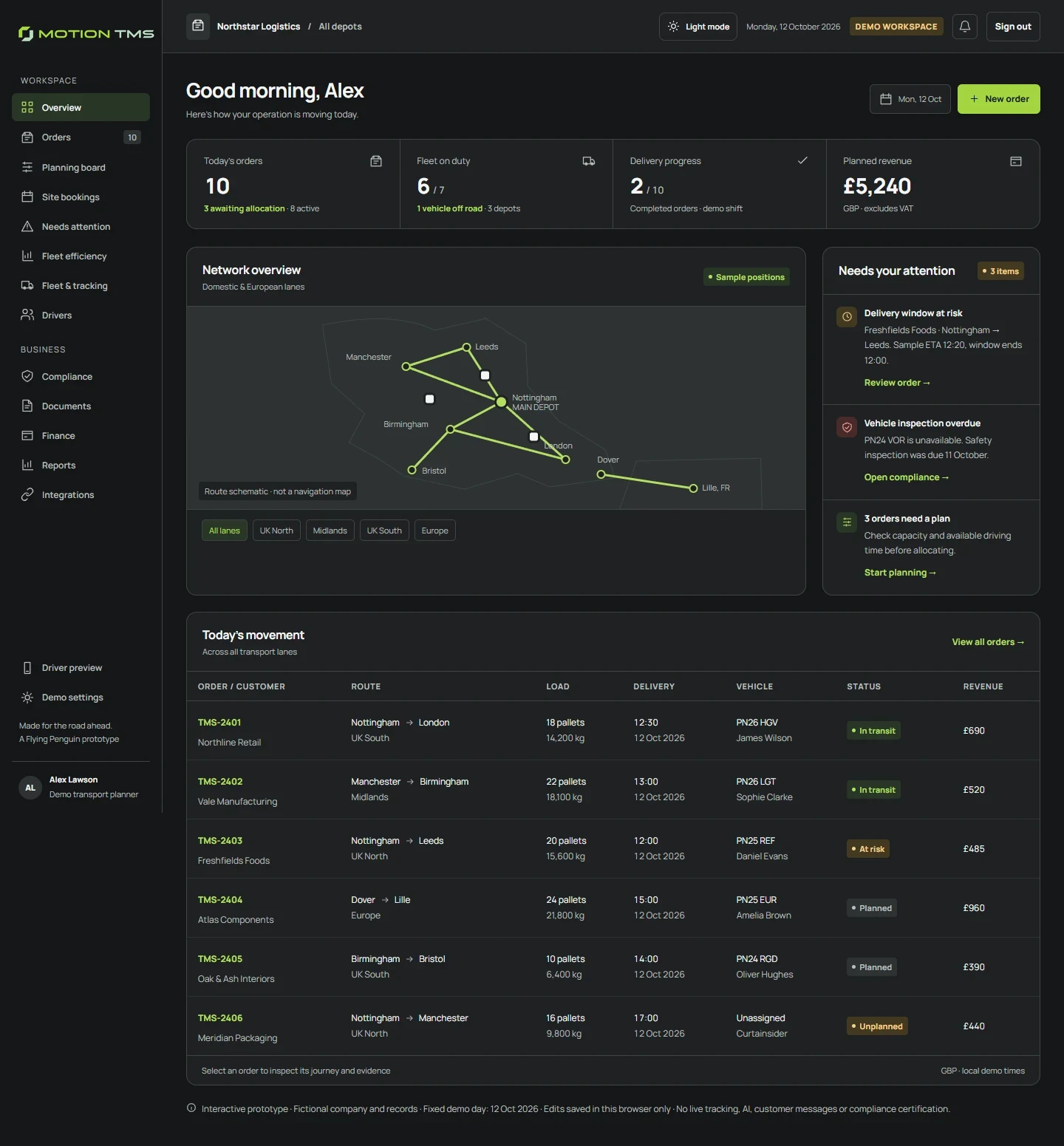
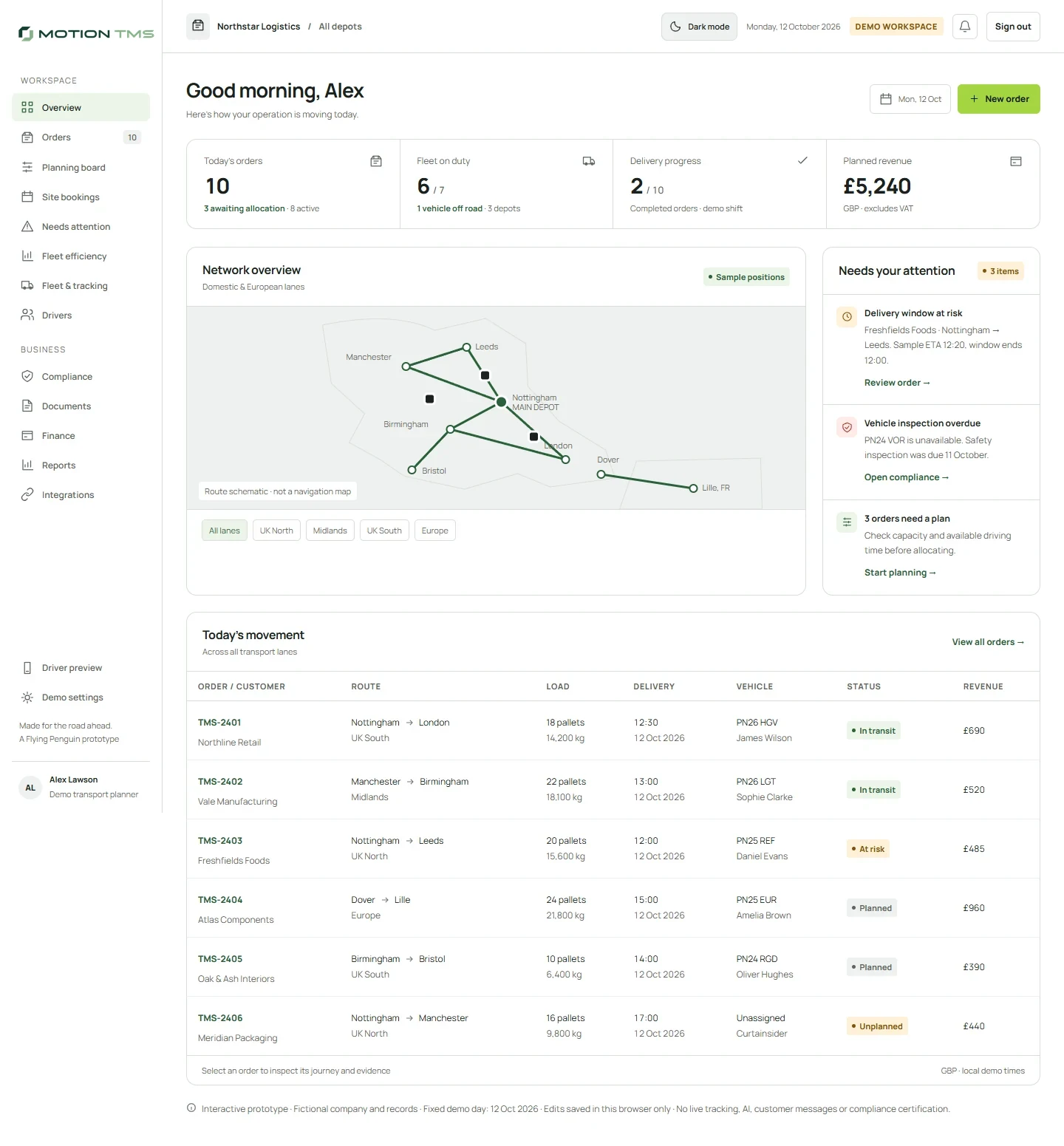
Two minutes now. No card, no commitment. Your workspace opens the moment you sign up.
Try every tool for 30 days, then keep the free plan and choose your upgrades. POD, costing and invoicing depend on the tools you choose.
Yes. The free plan is free to use for your own operation, with no card and no time limit. Upgrades are optional and priced per vehicle per month.
Yes. Upload the Excel or CSV sheet you plan in today and Motion TMS maps its columns to orders. A monthly allowance of assisted imports is included free. Manual entry is unlimited.
No. Print the run sheet, email it or send the read-only link. The driver app is there when you want the day to come back to the office without a phone call.
The driver marks each stop delivered in the app, or the office marks the run complete. Completed and archived runs stay searchable, so the planner never ends up with a list that has quietly rotted.
Each tool is priced per vehicle per month and switched on separately, so you pay for the tools you use and the vehicles you run. Each tool’s price is shown in your workspace before you switch it on.
Every new workspace starts with every tool switched on for 30 days. No card is taken. When the trial ends you keep the free plan automatically and nothing is charged. You can switch any tool back on later.
Yes. Each upgrade is its own switch. Turn it off and the charge stops at the end of that month. Your records stay in the free plan; you only lose that tool’s extra functions until you switch it on again.
Your free workspace opens straight away. Your workspace opens straight away: confirm your company details, then add vehicles, drivers and customers or upload your spreadsheet. Every tool is switched on for your first 30 days.

